
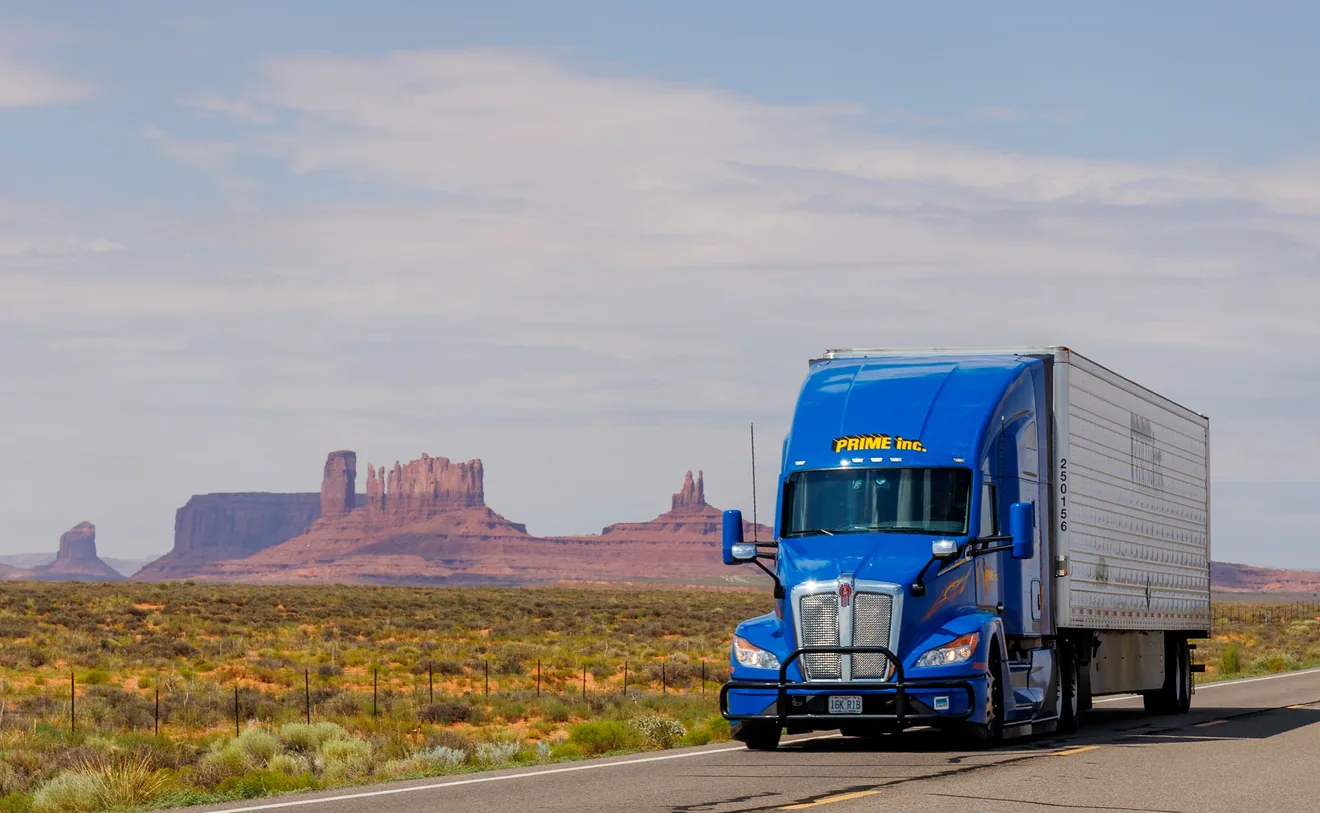
Start with the complete number labelled USDOT on the truck or report. Look it up in the free federal Company Snapshot, compare the legal and trade names, and save the result with its lookup date and the original evidence. Record unresolved conflicts before passing a company name to the claim handler.
What you can do with this guide
- Preserve each identifier beside the label and vehicle location where you found it.
- Match the number, legal name and trade name to a dated public record, then compare it with crash-specific evidence.
- Record missing or conflicting information for the person checking the claim.
A trucking company's name on the crash report differs from the lettering on the truck. The adjuster wants to know which company was operating it. The most useful thing you can send is the original vehicle marking, the matching federal record and a short explanation of any difference. A photograph of a trailer advertisement or a list of companies with similar names leaves the adjuster with the same question.
Start with records already in your possession. A USDOT lookup can help identify a business associated with a number. Connecting that business to a particular vehicle on a particular trip takes evidence from the collision. You can do the following work at home without approaching a truck, calling a driver or posting anyone's information publicly.
Find the identifier in the original record
Open the clearest original image of the truck or the commercial-vehicle section of the report. Write down the letters immediately before the number and where they appear. In a tractor-trailer combination, the tractor is the powered vehicle at the front. Describe which part you can actually see. A door marking on the tractor and a logo across the back of the trailer deserve separate entries even when they appear in the same photo.
Look for the letters USDOT. Read the digits one by one. If you have the full company name on the same panel, copy it with any words directly connecting it to the number. Write down “operated by” if those words appear. Keep the spelling as photographed. You can record the search spelling on another line if a character is ambiguous. Federal crash-report training explains why a leased vehicle can display multiple names or identifiers. FMCSA motor carrier identification training.
Give the record a reference that someone else can find, such as “photo 4, driver's door” or “agency report, vehicle 2, carrier field, page 3.” A report may include several units and identifying numbers. Read the row heading and check that you are following the right unit across the page. If a scanned report is too small, keep the original scan and use a copy for enlarging or annotating. An uncertain final digit can simply stay unreadable. How to preserve original accident photos.
| What you have | What to do with it | Detail to preserve |
|---|---|---|
| Complete number labelled USDOT | Use the USDOT number choice on the federal search page. | Keep the original digits beside the matching name. |
| Number labelled MC or MX | Use the separate MC/MX search choice. | Label the returned USDOT number as a lookup result and retain the original docket number. |
| Company or trade name only | Start with the name search and compare candidates. | Save the wording, location on the vehicle and any city or state actually shown. |
| Plate, trailer number or fleet unit number | Record it for someone comparing vehicle-specific documents. | Include the label and equipment it appears on. SAFER's search menu does not offer these fields. |

Use the free federal Company Snapshot
- Open FMCSA's SAFER Company Snapshot. Choose the search type that matches your source record. With a complete, labelled USDOT number, enter the number directly. This avoids choosing between companies with similar spellings.
- Read the returned USDOT number back against your source. Copy the complete legal business name, any listed DBA or trade name, and the principal-office city and state into your notes. Preserve the entity type if shown. A blank trade-name field can stay blank.
- Save a copy of the result so that the name, number and displayed data date are visible together. Record the day you looked it up and the official page address. A screenshot cropped down to a name can lose the very digits another person needs to check your work.
If the name is all you have, open the candidates separately. Search the exact spelling you can read first. Where the evidence supports another spelling or a shorter distinctive business name, keep a note of what you tried. For example, a cropped door photo may show only the beginning of a trade name. A name match gives you a candidate for comparison. Coordinate the next check around a visible number, an agency record or a written response that connects the candidate to the trip.
The legal name is the name of the entity on the record. A DBA, short for “doing business as,” can explain why lettering on the truck differs from the legal name. The physical address is described as the principal office. The city of the crash can be hundreds of miles from that office, so a difference between those cities settles little. If the vehicle displays a business city, that is a more useful comparison. Copy the minimum detail necessary to distinguish the records. SAFER guide to individual data fields.
Separate the crash date, lookup date and filing date
Put the crash date at the top of your note. Under it, record when you ran the search and any “as of” date on the result. If you see an MCS-150 form date, keep the field name next to it. FMCSA defines that date as the date from a registration form. A form filed in July does not tell you which carrier directed a trip in March. The public Snapshot presents current information and has specific reporting periods for safety figures. SAFER frequently asked questions.
When a conversation turns to current registration, FMCSA also provides a public search in Motus. The agency's September 2026 guidance says you can search there by USDOT number, legal name or DBA. Keep the output from each system with its name and retrieval date. An old link to the Licensing & Insurance system requires particular care. FMCSA says that as of May 14, 2026 that system is available for historical carrier records and does not reflect Motus filings. FMCSA's registration lookup guidance and its dated explanation of the legacy system.
If current registration and a crash-era document disagree, transcribe each one as displayed. Ask which document or dated record could confirm the operating arrangement on the day in question. Editing the older name to match today's search result erases a potentially useful lead. Likewise, a registration status on the day of your lookup cannot, on its own, resolve whether an insurer covers a particular loss. The insurer needs the relevant policy and facts for that assessment.

When the tractor, trailer and report name different companies
Make three rows before deciding that someone made an error. The first row records the tractor marking and accompanying number. The second records what appears on the trailer. The third records the role and name the report assigns to the company. If the report labels a business as registered owner, keep those words next to the name. Replacing “owner” with “operator” changes the evidence.
FMCSA's officer training gives a reason for this care. A registration may identify an owner, including a vehicle lessor. Investigators may have other material, such as a lease or driver log, that helps identify the operating carrier. A crash participant may possess only the police exchange sheet or a single photo. Ask the investigating agency whether its completed report or a commercial-vehicle supplement identifies the carrier and number. A document mentioned in training may be unavailable to you. Keep its status as “requested” or “unavailable.” FMCSA training on carrier identification records.
For a practical check, read your file as someone who has never seen the truck. Would that reader know which markings were on the cab? Which company appeared only on the trailer? Which entry came from a person describing the scene afterward? Use a separate line for each source. Two websites repeating the same public registration entry still trace back to one record. A clear vehicle photograph and a matching number on the agency report give a reviewer two different pieces of evidence to examine.
A worked example with an incomplete number
Fictional example. A passenger has a photo of a tractor door that reads “Operated by Company A” and a USDOT number with a blurred final digit. The trailer carries a large Company B logo. The exchange sheet lists Company C as the vehicle owner. A name search returns two businesses using similar versions of Company A's name. Each result has a different USDOT number.
The passenger prepares a note with four entries. The first describes the tractor marking and marks the last digit unreadable. The second describes Company B's trailer logo. The third copies the owner label next to Company C. The fourth lists both candidate records and the lookup date. At this point, comparing a few visible digits might rule out a candidate, but inventing the final digit to choose a favorite would destroy the distinction between an observation and a guess.
The agency then sends the complete report. Its carrier field identifies Company A and gives a legible full number. The passenger runs a fresh search by that number and finds a matching legal name with a DBA consistent with the door lettering. The follow-up note now says, “The report's carrier number matches this federal record. The photo shows the trade name and only part of the number.” It keeps Company C in the owner row. That description tells a reviewer exactly how far the match goes without assigning fault or deciding a claim.

What to do with a missing result or a disagreement
No matching result. Check the source label again. The number may be a fleet unit, the report may identify a trailer, or a character may be illegible. Retry a supported name search only when you have a company name to work from. In the absence of a usable identifier, the next step may simply be to obtain the complete report. A failed search alone does not establish that a carrier operated illegally. How to request a police crash report.
Conflict between the report and the image. Send a concise description to the investigating agency using its published procedure. Identify the report reference, page, field, recorded value and evidence supporting the question. Ask whether it can review the discrepancy or explain the field's meaning. Preserve the reply alongside both original records. If a supplement arrives, add it as a new version. How to request review of a crash-report error.
Conflict inside federal data. Start with the help information for the particular system. FMCSA describes DataQs as a review process for federal or state data issued by FMCSA. A request to the local reporting agency, an insurance claim notice and a request to review a federal database each reach different recipients. Confirm which record needs action before sending private materials to any of them. FMCSA directory of company safety records and data review services.
When someone points to a company's safety numbers
A snapshot may include inspection summaries, reported crash counts and a safety rating if one is available. Read the date and reporting period beside each figure. A fleet-wide count cannot tell you whether its driver caused your collision or whether this incident is even among the records summarized. FMCSA explains that state-reported crash involvement does not assign responsibility. Its separate preventability program is an administrative review with defined criteria. The agency also expressly distinguishes those determinations from civil liability. FMCSA safety measurement questions and FMCSA's explanation of preventability determinations.
For a claims conversation, start with the trip-specific information. A short note that ties a labelled truck number to an official dated result is easier to check than pages of unrelated inspection percentages. If someone needs an incident-specific document, ask for its name, date and issuing agency so you can identify the right record. Keep time-sensitive insurance or agency notices moving while the identity question is being resolved.
Keep a private carrier identification worksheet
Copy this blank outline into a local document or onto paper. Record business identifiers and file references. Leave personal contact details, medical information and other drivers' documents in their original secure location. You do not need to type any answers into this site.
Collision date and vehicle/unit in report:
Source file, page or photo reference:
Where the marking appears:
Number type and exactly legible characters:
Legal name / DBA on the federal result:
System, search type and lookup date:
Date shown on record and what it labels:
Which original details agree:
Conflicting or unreadable detail:
Specific document requested, from whom, and date:
Response received and next unresolved question:
Keep a copy of what you gave the adjuster, with the date sent and the attachments listed. If the evidence changes, write a dated update. For example, “On [date] I supplied a partial door number. The attached report now gives the full number in the vehicle 2 carrier field. Please confirm which claim file should receive it.” This allows the receiving person to follow the correction without reconstructing all of your calls.
If injuries and several companies are involved, a consultation can focus on which trip-specific records are still missing and who can obtain them. Bring the worksheet, the original report and photos, and any contradictory responses. Explore a free case review for the injury claim.
Your next step
Multiple companies named after a truck crash?
Bring the photos, vehicle number and open questions to a free injury case review.
Explore My Free Case Review →Free initial review through an independent provider. No obligation to hire.Sources and scope
Core sources checked November 9, 2026; editorial update November 9, 2026. State examples apply only to the named jurisdiction. This guide is editorially researched; it has not been reviewed by an attorney and does not assess your individual claim.
- FMCSA SAFER — free Company Snapshot and supported identifiers
- FMCSA SAFER — data field definitions
- FMCSA SAFER — public access and time coverage
- FMCSA Crash Reporting Training — motor carrier identification and multiple vehicle markings
- FMCSA Crash Reporting Training — owner records, leases and driver logs
- FMCSA — public Motus registration lookup instructions, updated September 10, 2026
- AskFMCSA — scope of legacy Licensing & Insurance, updated May 21, 2026
- FMCSA — Company Safety Records and DataQs scope
- FMCSA — Safety Measurement System FAQs, crash involvement and fault
- FMCSA — Crash Preventability Determination Program, December 2024 presentation and limitations
Spot an error? Contact support@injurylawadvisor.us with the page and source. Please do not email medical records or sensitive case details.